
What Is Workflow Automation in IT Operations?
How IT workflow automation uses rule-driven software to speed tasks, reduce errors, cut costs, and improve incident response across services and networks.

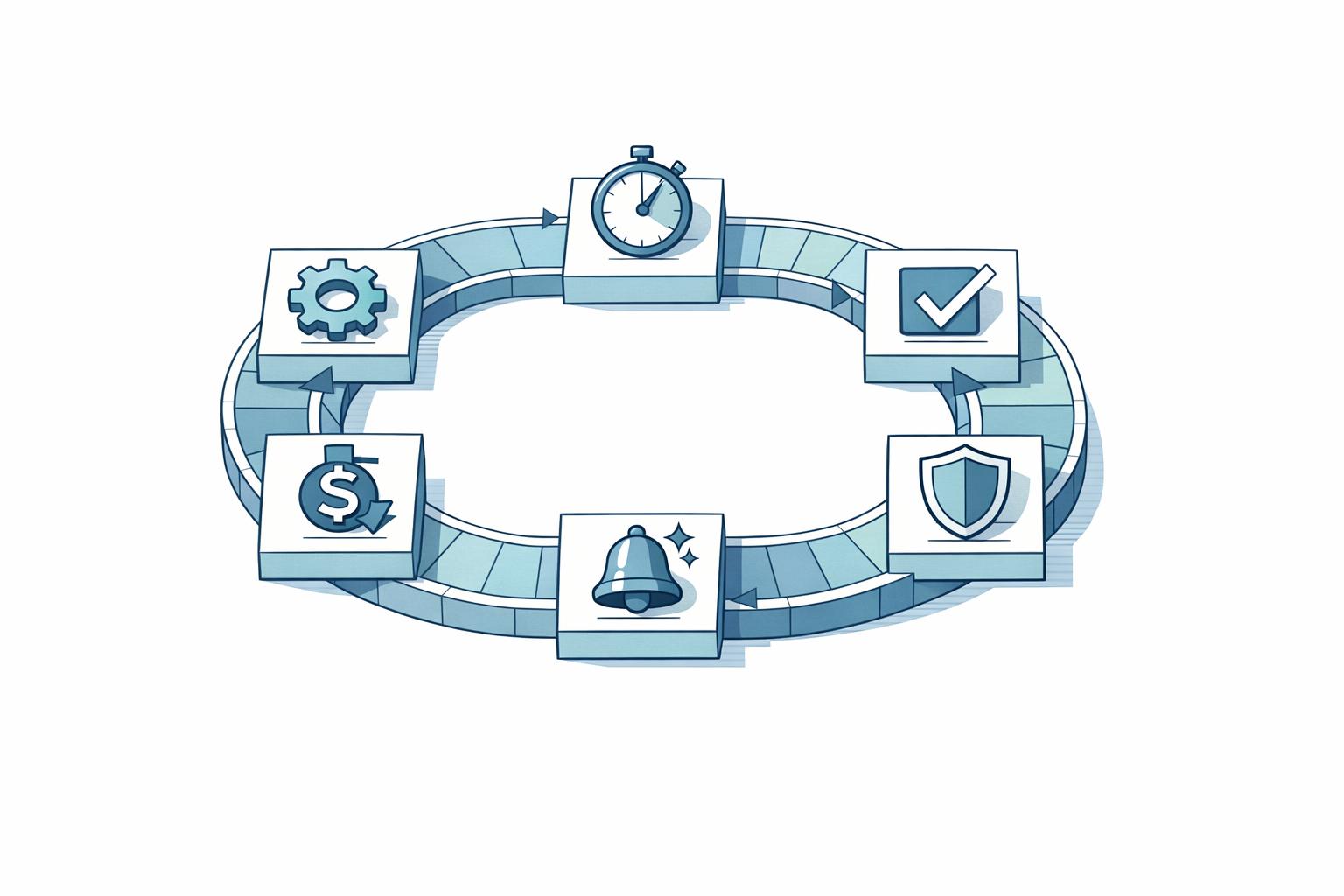
Workflow automation in IT operations uses software to handle repetitive tasks like password resets, ticket routing, and system patching. It works based on predefined rules, ensuring tasks are completed quickly, consistently, and with minimal human intervention. This approach is essential for managing complex IT environments, reducing errors, and improving efficiency.
Key benefits include:
- Time Savings: Automates routine tasks, freeing up IT teams for higher-priority work.
- Error Reduction: Ensures consistent results by eliminating manual mistakes.
- Cost Efficiency: Lowers operational expenses by scaling without increasing staff.
- Faster Issue Resolution: Reduces downtime and improves service delivery.
Common applications include IT service management, software deployment, and network monitoring. To implement it effectively, identify repetitive tasks, design workflows carefully, and continuously monitor and refine automation processes. While challenges like system integration and user resistance exist, proper planning and training can address them. By 2026, over 30% of enterprises are expected to automate more than half of their network activities, highlighting the growing importance of automation in IT.

Workflow Automation in IT Operations: Key Statistics and Benefits
What Is Workflow Automation? | Beginner’s Guide to Building Your First Workflow ⚡📚
Benefits of Workflow Automation in IT Operations
Workflow automation has become a game-changer for IT operations, addressing long-standing challenges while delivering measurable improvements. By streamlining processes, it enhances speed, accuracy, and cost efficiency, making IT teams more effective and resilient.
Faster Operations and Higher Productivity
Automation eliminates the common bottlenecks that slow down IT teams. Routine tasks like user provisioning, ticket routing, and password resets are handled automatically, freeing administrators to focus on strategic initiatives. For example, in November 2025, Remote.com managed 1,100 help tickets with just three staff members, saving $500,000 annually.
Beyond saving time, automation also speeds up service delivery. Automated workflows can trigger remediation scripts instantly, significantly reducing Mean Time to Resolution (MTTR). This shift from reactive to proactive management allows potential issues to be resolved before they escalate into downtime. The result? Faster, more reliable, and error-free operations that keep businesses running smoothly.
Fewer Errors and More Consistent Results
Manual processes are prone to human error - typos, skipped steps, and configuration mistakes are all too common, especially in high-pressure environments. Automation, on the other hand, follows predefined logic with precision, ensuring consistent results every time, regardless of who initiates the task or when it runs. This reliability is particularly crucial in industries governed by strict compliance standards, such as SOC 2 or HIPAA, where accurate documentation and audit trails are mandatory.
"IT automation delivers repeatable results with little human intervention, enabling administrators to perform time-consuming, resource-intensive and error-prone tasks faster and with greater consistency." - TechTarget
Studies show that automation reduces process errors by 37% and boosts data accuracy by as much as 88%. However, poorly designed automation can amplify mistakes, so thorough testing and validation are critical before deployment.
Better Scalability and Lower Costs
Automation enables IT teams to scale their operations without a proportional increase in staffing. For instance, organizations that embrace automation require only 90 IT staff per $1 billion in revenue, compared to 140 staff for less automated companies. This efficiency directly impacts the bottom line, with automation reducing IT operational costs by up to 30%. Intelligent automation alone accounts for a 31% reduction in IT expenses.
The financial benefits don’t stop with staffing. Automated incident response can cut downtime costs from high-severity IT incidents by 31% and cybersecurity incidents by 36%. By automating routine maintenance, IT departments can shift resources from "keeping the lights on" tasks to transformative business initiatives. In fact, 67% of enterprise IT budgets are now allocated to business transformation, a significant jump from 33% in 2023. This reallocation not only reduces costs but also positions IT teams as strategic enablers of organizational growth and innovation.
Common Uses of Workflow Automation in IT Operations
Workflow automation has become a game-changer for IT operations, simplifying everything from resolving user issues to rolling out software updates. By automating repetitive tasks, IT teams can focus on more critical, high-impact work.
IT Service and Incident Management
Automation has transformed the way IT service desks operate. For instance, automated ticket triage can instantly sort, prioritize, and assign issues to the right team members. Self-service tools handle common problems - like password resets or VPN troubleshooting - in just minutes, freeing up technicians for more complex tasks. If an issue is too complicated or breaches a service-level agreement (SLA), predefined rules ensure it’s escalated to senior staff without delay.
AI-powered support tools also play a key role. They summarize user issues, suggest relevant knowledge base articles during ticket creation, and recommend next steps, ensuring a consistent and efficient process. Beyond the service desk, automation extends to managing changes, configurations, and deployments, making these processes faster and more reliable.
Change and Configuration Management
Automation doesn’t stop at incident management - it’s equally effective in change and configuration management. For example, automated patch management can schedule and deploy updates across servers and devices simultaneously, reducing the risk of vulnerabilities. Configuration drift control keeps systems secure by monitoring for unauthorized changes and automatically resetting them to their intended state.
Asset management workflows are another area where automation shines. They keep inventory records up to date, track hardware and software lifecycles, and even flag warranty expiration dates. Automated approval workflows also speed up change requests, cutting down processing times from days to mere hours.
Software Deployment and Network Monitoring
When it comes to software deployment, automation simplifies the process through CI/CD pipelines. These pipelines automate code integration, testing, and deployment, which not only reduces downtime but also shortens release cycles. Infrastructure as Code (IaC) scripts ensure virtual machines and cloud resources are provisioned and managed consistently, eliminating the risk of configuration drift.
Network monitoring is another area where automation proves invaluable. Continuous monitoring tools can identify bandwidth bottlenecks or network issues in real time, triggering automated load balancing and sending alerts when needed. Cloud orchestration takes it a step further by dynamically shifting workloads between public and private cloud environments based on demand. With 77% of businesses now relying on hybrid IT architectures, this kind of automation is essential for optimizing performance and managing costs effectively.
How Workflow Automation Works in IT Operations
Workflow automation creates dependable and efficient IT systems by linking various components that trigger actions, evaluate conditions, execute tasks, and monitor outcomes. Here's a closer look at how these elements come together to streamline IT operations.
Core Components of Workflow Automation
Every workflow kicks off with a trigger - this could be a monitoring alert, a help desk ticket, or a scheduled task. Triggers set the process in motion. From there, conditional logic steps in, using if/then statements and decision trees to determine the next steps. For example, if a ticket is flagged as "High Priority", the system might bypass the general queue and assign it directly to a senior engineer.
Once the next steps are determined, the actions component takes over. This part handles tasks like sending notifications, resetting passwords, updating databases, or deploying software patches. To make this possible, integrations link the automation platform to other systems - like ITSM tools, HR platforms, or cloud services - using APIs and webhooks. Finally, dashboards and analytics offer real-time insights into workflow performance. They track metrics such as mean time to resolution and error rates, while also maintaining audit trails to ensure compliance.
In summary, triggers initiate the process, logic guides decisions, integrations enable seamless data exchange, actions execute tasks, and dashboards monitor performance for continuous improvement.
Integration with IT Tools and Systems
The real power of workflow automation lies in its ability to connect with your existing IT tools and infrastructure. APIs and webhooks allow different systems to communicate, enabling automation to handle tasks across IT operations. For example, ITSM platforms like Jira, ServiceNow, and Zendesk can automate ticket triage, categorization, and routing, ensuring incidents are sent to the right specialists without delay.
Automation also extends to HR systems such as Workday or BambooHR. When synchronized with identity management tools like Okta or Active Directory, these systems enable "Zero-Touch IT" for employee lifecycle management. Access provisioning or revocation happens automatically based on real-time status updates, reducing manual effort and potential errors. Similarly, monitoring tools like Datadog integrate with automation platforms to collect health data. This allows the system to trigger remediation scripts or notify incident management tools like PagerDuty when issues arise.
The scope of integration continues to grow. By 2026, over 30% of enterprises are expected to automate more than half their network activities. Additionally, 77% of businesses now operate hybrid IT architectures, requiring orchestration across various environments. This shift toward interconnected systems is driven by trust in automation, with nearly 90% of workers relying on these solutions to make faster, more accurate decisions.
sbb-itb-f3ffd9f
How to Implement Workflow Automation in IT Operations
To successfully implement workflow automation, start by identifying tasks that consume resources and cause delays. Then, design and test workflows carefully before deploying them. As Stephen J. Bigelow puts it: "Automation is far from automatic... planning and effort are crucial to implementing automation plans in a meaningful and maintainable fashion". The process begins with identifying areas where automation can make the most impact.
Identify Processes to Automate
Focus on repetitive, straightforward tasks that require significant manual effort. Examples include password resets, virtual machine provisioning, and ticket routing. These tasks are ideal because they occur frequently, follow predictable patterns, and are prone to mistakes when handled manually. To evaluate potential automation projects, use a weighted scoring model that allocates:
- 40% to Business Impact: Consider cost savings and efficiency improvements.
- 30% to Technical Feasibility: Assess compatibility with existing systems.
- 20% to Strategic Alignment: Ensure alignment with organizational goals.
- 10% to Urgency and Frequency: Factor in how often the task occurs and its immediate need.
Before diving into automation, map out every step of the current manual process. Include inputs, outputs, decision points, and dependencies. This exercise highlights inefficiencies and bottlenecks that need fixing. Automating a poorly designed process will only make the problems worse.
Design, Test, and Deploy Workflows
Follow a structured approach to design workflows, starting with requirements and ending with detailed task logic. Use a three-tier design strategy:
- Product Requirement Document (PRD): Define the business problem, success metrics, and scope.
- High-Level Design (HLD): Outline system architecture, API references, and data flows.
- Low-Level Design (LLD): Detail individual tasks, logic conditions, and error-handling mechanisms.
Build workflows using modular components - small, reusable scripts or functions that can be easily updated or combined. This approach ensures flexibility and simplifies maintenance. Validate workflows through multiple testing stages:
- Unit Testing: Check individual components.
- Integration Testing: Ensure APIs and systems interact correctly.
- System Testing: Conduct end-to-end validation in a staging environment.
- User Acceptance Testing (UAT): Gather feedback from stakeholders.
Start with simple tasks that offer quick wins to demonstrate value and gain momentum. Gradually move on to more complex workflows. Always include a rollback plan in case deployment issues arise. After deployment, monitor the workflows closely to fine-tune their performance.
Monitor and Improve Automated Workflows
Once workflows are operational, track metrics like execution time, error rates, and mean time to resolution (MTTR). These metrics help identify bottlenecks and measure the automation's effectiveness. Use dashboards for real-time performance insights and regularly review workflows to ensure they stay aligned with changing infrastructure and business needs.
To promote a culture of automation, consider forming a Center of Excellence (CoE) or Community of Practice. These groups can bring together stakeholders to share best practices, troubleshoot issues, and refine workflows. With 67% of business leaders viewing workflow automation as a key part of digital transformation, ongoing improvements are essential to maximize the return on your automation investment.
Challenges and Best Practices for Workflow Automation
While the steps to implement workflow automation are important, it’s just as crucial to address the challenges that can crop up along the way. Even the most carefully planned automation efforts can encounter hurdles. For example, legacy systems without API support and complex hybrid or multi-cloud setups often make integration a headache. Automating manual processes becomes even trickier when exceptions or multiple decision paths need to be accounted for. As Stephen J. Bigelow explains:
"Automation performs the same steps the same way every time... exceptions to the rules pose serious problems for automation, making multibranch tasks especially challenging".
Additionally, automation can shift job roles significantly, sometimes causing what’s been described as "culture shock", which necessitates retraining. Companies also face challenges related to skill gaps - automation demands expertise in areas like cloud architecture, security, and AI. Mistakes in automation can spread rapidly, and over-automating tasks that still require human judgment can lead to inefficiencies rather than improvements.
Solving Integration and Compatibility Problems
To tackle integration challenges, start by thoroughly testing automation tools through demos or trial versions before committing to a platform. Switching tools later can be disruptive and costly. For legacy systems, document API gaps and dependencies early on. This helps identify where middleware or custom connectors might be necessary. It’s also a good idea to involve stakeholders from security, legal, and business teams during the design phase to avoid siloed decision-making, which can lead to integration failures.
Treat automation code like any other software by applying development best practices. Use version control and repositories to track changes and ensure smooth business operations. Avoid relying too heavily on plugins or framework-specific dependencies, which can complicate troubleshooting and future updates. For hybrid and multi-cloud setups, consider off-the-shelf software solutions to simplify maintenance.
These strategies can help teams navigate integration issues and lay the groundwork for addressing cultural resistance.
Overcoming Cultural and Skill Barriers
A good way to ease cultural resistance to automation is by starting small. Pilot projects focusing on simple tasks can reduce the initial shock and help teams get comfortable with new tools before scaling up. Emphasize that automation isn’t about replacing jobs but about acting as a "force multiplier", freeing IT teams from repetitive tasks so they can focus on innovation and solving complex problems. Many pilot projects have shown measurable cost savings, which can help build trust and buy-in.
Training is essential for transitioning teams from manual workflows to managing automated systems. Low-code or no-code platforms with user-friendly, drag-and-drop interfaces can empower non-technical employees to contribute, reducing the reliance on specialized engineers. Always have rollback plans in place for each phase of implementation to quickly address any issues that arise. Finally, track and share metrics like time saved and error reductions to highlight the tangible benefits of automation. This not only builds confidence but also reinforces the value of the new workflows.
Conclusion
This guide has explored how workflow automation is reshaping IT operations by replacing manual tasks with rule-driven processes. The results speak for themselves: businesses often experience a 20% to 40% boost in operational efficiency and can cut IT costs by as much as 30%. In fact, a 2024 survey revealed that 81% of CFOs believe automation is the most effective way to reduce future expenses.
But the advantages go far beyond cost savings. Automation allows IT teams to shift their focus from routine troubleshooting to strategic projects and digital innovation. As Chris Saunderson, Senior Director of Analyst at Gartner, puts it:
"Automation has enhanced IT responsiveness, decision-making effectiveness, and risk reduction".
The role of automation in digital transformation is undeniable, with 67% of business leaders identifying it as a critical component of their strategy. This shift underscores a broader evolution in IT operations.
Automation also has a profound effect on employee satisfaction. While 74% of workers generally prefer staying in their current roles, that number jumps to 90% among employees who benefit from automation. By minimizing repetitive tasks, automation boosts morale and helps retain skilled IT professionals.
Looking to the future, the intelligent automation market is expected to reach $51.26 billion by 2032. Gartner forecasts that by 2026, one-third of enterprises will automate over half of their network activities. For businesses, embracing automation means scalable operations, improved compliance, and the ability to respond quickly to market changes - all without needing to expand their workforce.
FAQs
How can businesses address challenges when implementing workflow automation?
To make workflow automation a success, it's best to tackle it in smaller, more manageable steps rather than diving into a full-scale rollout. Begin by pinpointing manual processes and focusing on a few high-volume, low-risk tasks to automate first. This method helps teams secure quick wins and fine-tune their workflows before expanding further.
Involving the employees who handle these tasks is essential. Their insights can help map out workflows in detail and identify potential challenges. Securing support from executives is equally important to ensure the initiative has the necessary backing. Choosing user-friendly tools, especially those with low-code features, can make the process smoother and reduce the need for advanced technical expertise.
Once automation is up and running, keeping a close eye on its performance is key. Regularly monitor progress and look for areas to improve. Set clear metrics - like time saved or error reduction - and have systems in place to manage exceptions and maintain security compliance. For more complex challenges, such as integrating older systems, collaborating with IT automation experts can make a big difference, helping businesses unlock greater efficiency and scalability.
How do I get started with workflow automation in IT operations?
If you're ready to dive into workflow automation for IT operations, the first step is to pinpoint tasks that are repetitive and consume a lot of time. Think about processes like account provisioning or ticket routing - these are perfect candidates for automation. Once you've identified these tasks, set specific goals for what you want to achieve. Are you aiming to save time, minimize errors, or cut down on costs? Whatever your objectives, it's important to define how you'll measure success right from the start.
It's also crucial to involve the right people early in the process. Bring in IT leaders, security teams, and even end-users to make sure everyone is on the same page. This helps ensure that your automation plans align with your broader business goals and meet any compliance requirements. When choosing an automation platform, look for one that integrates smoothly with your existing systems and adheres to any industry regulations you need to follow.
Start small - launch a low-risk pilot project to test the waters. This approach lets you fine-tune your strategy and work out any kinks before rolling out automation on a larger scale.
Integrity Tech can guide you every step of the way, from analyzing workflows and choosing the right tools to optimizing automated processes, making your transition to streamlined IT operations as smooth as possible.
How does workflow automation enhance employee roles and satisfaction?
Workflow automation takes mundane, repetitive tasks off employees' plates, letting them focus on work that truly matters. When processes like ticket routing, approvals, and routine scripts are automated, employees can dedicate their time to solving problems, brainstorming new ideas, and connecting with customers. For IT teams, this shift means spending less time on tasks like account provisioning and more time enhancing systems and driving business goals forward.
Beyond saving time, automation helps cut down on errors and eases the frustrations that come with manual processes. This boost in efficiency translates to higher confidence and job satisfaction among employees. Streamlined workflows not only improve collaboration but also give teams better insight into their contributions, creating a more motivated and engaged workforce. By simplifying tasks and freeing up valuable time, automation enables teams to make a bigger impact while finding more fulfillment in their work.
Related Blog Posts
Related Blogs
.svg)
Ready to Transform
Your Customer Management?
Sign up today and see the difference Syncro can make for your business.